Welcome to EndureTrade
Your extension is installed. Follow these steps to sign in, confirm your sites, and log your first replay trade from the chart.
Finish setup
Pin the icon, sign in from the extension, confirm your sites, and log your first trade on the chart.
Step 1
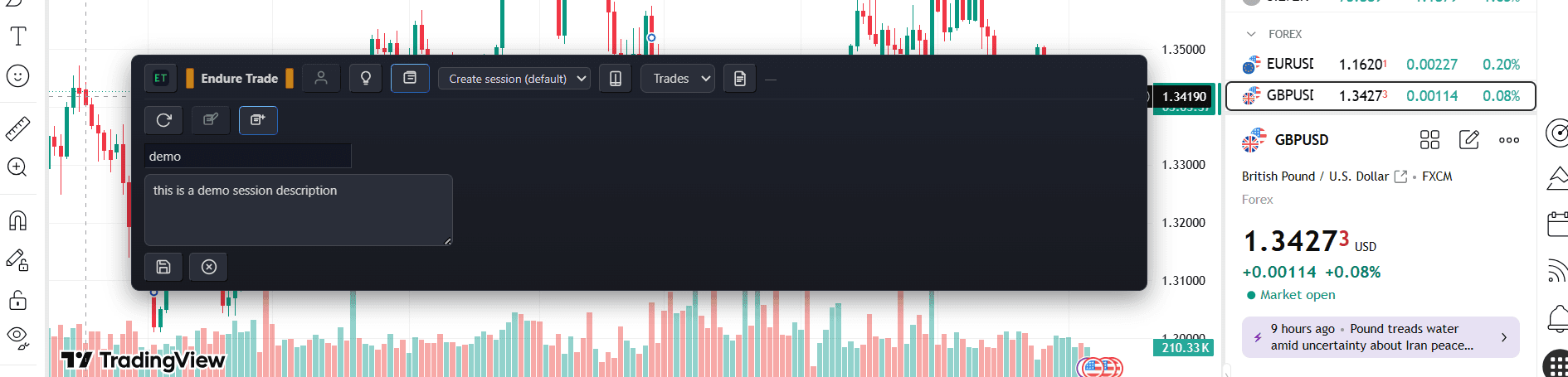
Recognize the journal bar
After install, the floating journal bar appears on enabled pages like this one. Pin the extension icon in Chrome if needed, then look for the bar around the center of this page.

Step 2
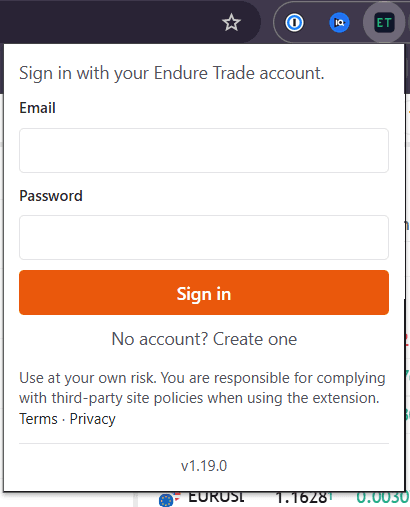
Sign in from the extension
Click the toolbar icon or Login button on navbar and sign in with your Endure Trade account. Create a free account on the web if you do not have one yet.
Step 3
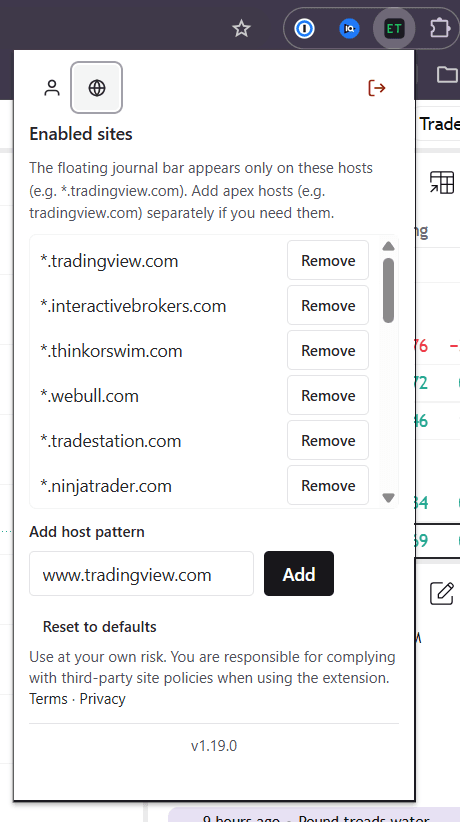
Confirm/Add your sites
There are some sites already enabled by default. Open Enabled sites in the extension if you journal on other chart or broker pages. It can also be on site like youtube, where you write down memo while learning.
Step 4
Log your first trade
Start a session from the floating bar (if you don't have one already), and log your first trade. Your journal syncs to the web app.